Nordic nRF54LM20 DK
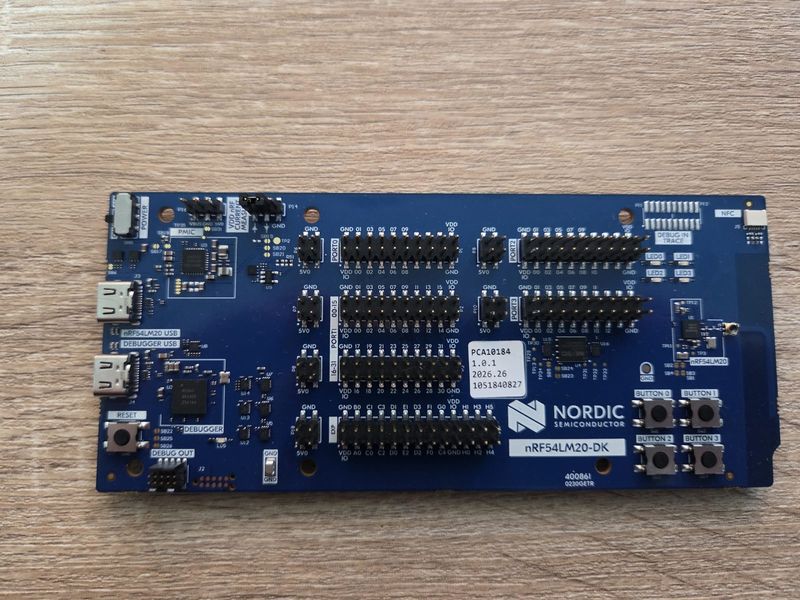
nRF54LM20-DK Front
The nRF54LM20-DK is a development board based on the nRF54LM20 from Nordic.
The configurations select nRF54LM20B by default. For nRF54LM20A, select
nRF54LM20A under System Type -> nRF54L Chip Selection in
make menuconfig before building.
The configurations use 511 KiB of SRAM, excluding the reserved upper 1 KiB.
Serial Console
The console uses UARTE20 through the onboard debug interface at 115200 8N1,
without flow control. Use VCOM 1 (the second J-Link serial port, with USB
interface if02 on Linux).
Pin |
Signal |
|---|---|
P1.16 |
UARTE20 TX |
P1.17 |
UARTE20 RX |
LEDs
The board has four user-controllable LEDs:
LED |
MCU |
|---|---|
LED1 |
P1.22 |
LED2 |
P1.25 |
LED3 |
P1.27 |
LED4 |
P1.28 |
A high output illuminates the LED.
Configurations
Select a configuration with:
tools/configure.sh nrf54lm20-dk:<subdir>
nsh
Basic NuttShell configuration with the console on UARTE20.
usbnsh
NuttShell over USB CDC ACM using the application’s USB connector. Both high-speed and full-speed USB operation are enabled.
sdc
NSH with the native Bluetooth host, SoftDevice Controller and bt utility.
These configurations use GRTC tickless scheduling and the UARTE20 console.
Set CONFIG_NRF54L_SDC_PUB_ADDR to the board’s assigned public address.
The host advertises its GAP service at startup. To scan:
bt bnep0 scan start -d
bt bnep0 scan get
bt bnep0 scan stop
Stop advertising with bt bnep0 advertise stop before restarting it with
bt bnep0 advertise start.
ieee802154_6lowpan
6LoWPAN over the IEEE 802.15.4 MAC (wpan0), with the udp and
nettest examples.
ieee802154_mac
IEEE 802.15.4 MAC with the i8sak tool on /dev/ieee0.
Flash & Debug
Use a J-Link version supporting the installed chip. For LM20B:
JLinkExe -USB PROBE_SERIAL -device nRF54LM20B_M33 -if SWD -speed 4000
At the J-Link prompt:
connect
loadfile nuttx.hex
r
g
exit
Use nRF54LM20A_M33 for LM20A boards.