nxcamera Camera/Video Stream Test Command
Introduction
nxcamera is a command-line utility for testing camera devices and video
stream capture in NuttX. It is built on top of the NuttX video subsystem
(using a V4L2-style interface) and is typically used to:
Enumerate and open video device nodes such as
/dev/video0and/dev/video1Configure capture parameters including resolution and pixel format
Capture video frames for validation, debugging, or simple data dumping, depending on platform support and build configuration
Usage
nxcamera is an interactive command-line program. Start it from NSH, then
enter commands at the nxcamera> prompt:
nsh> nxcamera
nxcamera>
Pixel Format
For the stream command, the pixel format depends on the platform. On the
macOS sim platform you may use NV12, while on Linux systems YUYV
is more commonly used.
Examples
Start
nxcameraand configure a typical interactive capture session:
nsh> nxcamera
nxcamera> input /dev/video0
nxcamera> output /dev/fb0
nxcamera> stream 640 480 30 NV12
nxcamera> stop
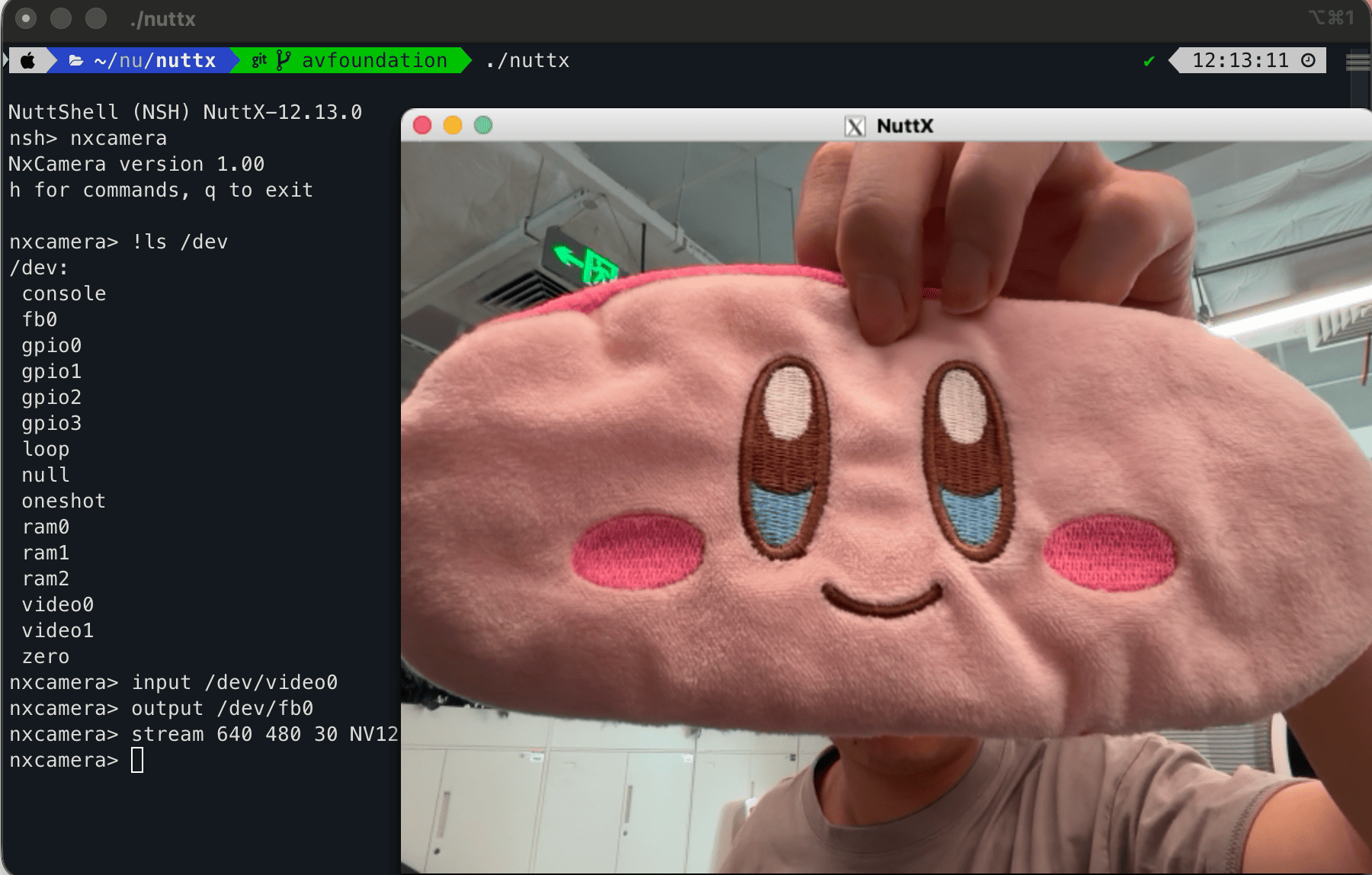
nxcamera using the macOS AVFoundation backend on the SIM platform.
Features and Updates
Multiple camera instances are supported, allowing several cameras to be exposed as different device nodes such as
/dev/video0and/dev/video1. This makes it easier to select and validate different video input sources on the same system.On the
simplatform, support has been added for the macOS AVFoundation backend. This enables camera capture and functional verification on macOS hosts, subject to build configuration and host permission settings.