ESWIN EIC7700 EVB
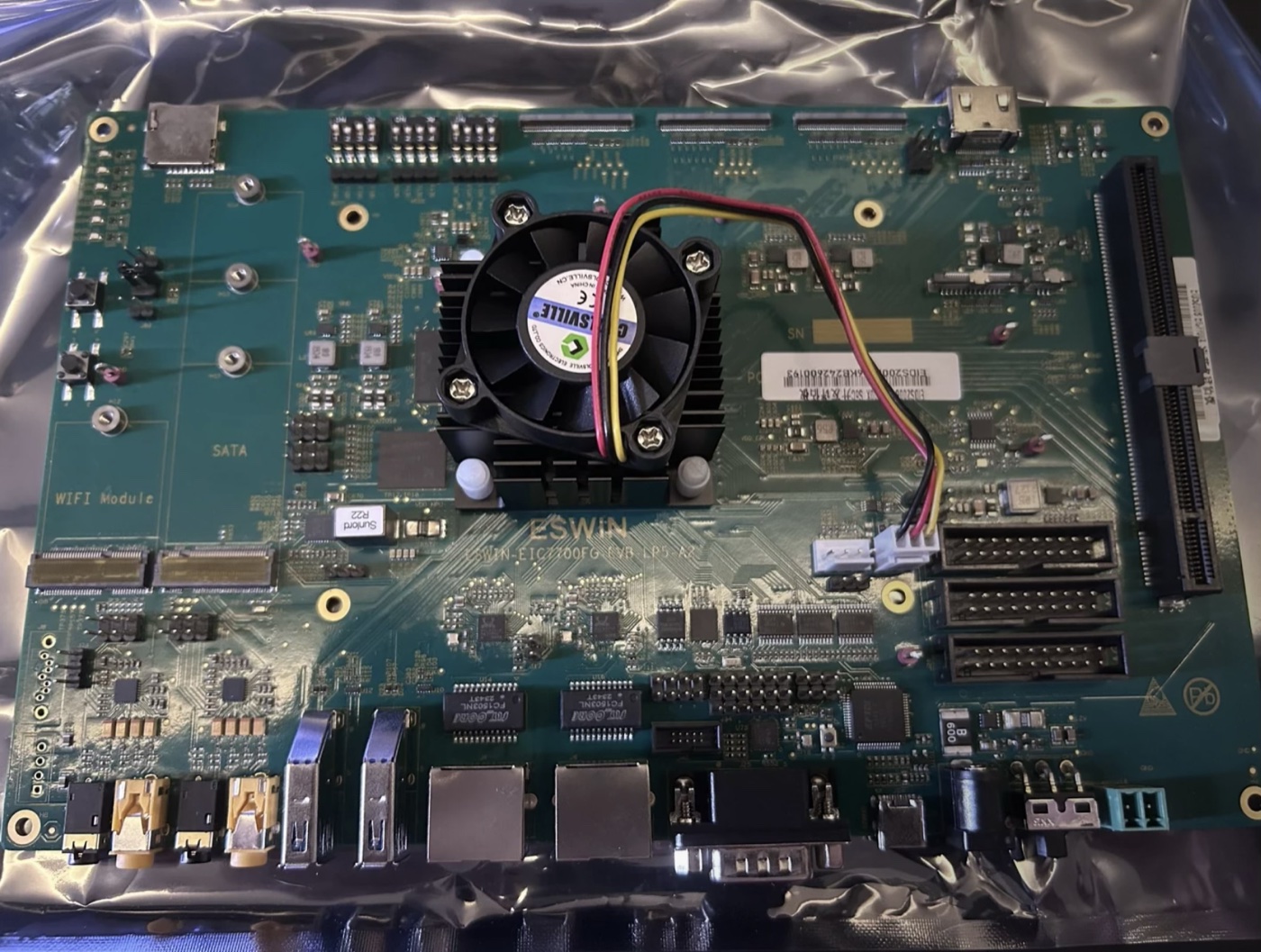
ESWIN EIC7700 EVB
The EIC7700 EVB is ESWIN’s own evaluation board for the EIC7700X SoC. Where the PINE64 StarPro64 is a single board computer built around the chip, the EVB brings out most of the SoC’s interfaces, so it is the board to develop drivers on.
Features
ESWIN EIC7700X, 4 x RV64GC 1.4 GHz RISC-V cores
16 GB LPDDR5
eMMC, microSD and SPI NOR flash, the last holding the boot firmware
2 x Ethernet (GMAC, RGMII)
2 x USB 3.0, host and device capable
HDMI output, with CEC
PCIe 3.0 slot, and two M.2 slots, for SATA and for a WiFi and Bluetooth module
USB serial console, RS232 on a DB9, and further UARTs on the headers
Expansion headers carrying GPIO, I2C, SPI and PWM
PWM fan header
Warning
This port is under development and drives a subset of the board. Peripheral Support below records what it drives.
Serial Console
The console is UART0 at 115200 8N1. It is wired to the on-board FT4232
USB bridge, so a single USB cable carries it and no separate USB serial
adapter is needed. The bridge presents four ports, of which UART0 is the
third; on Linux that is usually /dev/ttyUSB2, the first of the four
being the JTAG interface:
$ screen /dev/ttyUSB2 115200
Power Supply
The board is powered through its barrel jack. The core rails, including the NPU rail, are set by regulators on I2C bus 1, which NuttX leaves alone: the firmware has already configured them by the time NuttX starts, and writing to them changes a core voltage.
RISC-V Toolchain
Install xPack GNU RISC-V Embedded GCC (riscv-none-elf) and
add its bin directory to PATH, as described for the
PINE64 StarPro64.
Building NuttX
Configure and build:
$ cd nuttx
$ tools/configure.sh eic7700-evb:nsh
$ make
Then build the applications filesystem and package it with the kernel:
$ make export
$ pushd ../apps
$ tools/mkimport.sh -z -x ../nuttx/nuttx-export-*.tar.gz
$ make import
$ popd
$ boards/risc-v/eic7700x/common/tools/mkimage.sh
The image is the kernel, then padding, then a RAM disk holding the
applications. Use the script rather than padding by hand: the RAM disk is
found at run time by searching memory for its header, and that search runs
after BSS has been cleared, so the disk has to start above _ebss or it is
zeroed before anything looks for it. The script reads _ebss from the
kernel and pads to suit.
The result is Image-eic7700-evb.
Booting NuttX
The board boots over TFTP from U-Boot, as the
PINE64 StarPro64 does. Copy
Image-eic7700-evb and the device tree to the TFTP server:
$ wget https://github.com/lupyuen/nuttx-starpro64/raw/refs/heads/main/eic7700-evb.dtb
$ scp Image-eic7700-evb eic7700-evb.dtb tftpserver:/tftpfolder/
Interrupt U-Boot with Ctrl-C at power on and boot the image:
# Change to your TFTP Server
$ setenv tftp_server 192.168.x.x
$ saveenv
$ dhcp ${kernel_addr_r} ${tftp_server}:Image-eic7700-evb
$ tftpboot ${fdt_addr_r} ${tftp_server}:eic7700-evb.dtb
$ fdt addr ${fdt_addr_r}
$ booti ${kernel_addr_r} - ${fdt_addr_r}
NuttShell appears on the console.
Configurations
$ tools/configure.sh eic7700-evb:<config-name>
nsh
NuttShell on UART0 at 115200 8N1, with the RAM disk mounted and /proc
available. Built-in applications are supported; none are enabled.
Peripheral Support
NuttX for the EIC7700 EVB supports these peripherals:
Peripheral |
Support |
NOTES |
|---|---|---|
UART |
Yes |
|
CPU clock control |
Yes |
400 MHz to 1.4 GHz, measured not assumed |